Funny Rescue Gardener
 Pixel Artist
 Happy Kittens Puzzle
 Penguin Cafe
 Animal Connection
 Snakes N Ladders
 Pixel Skate
 BeeLine
 Draw Parking
 Draw Racing
 Soccer Balls
 Happy Fishing
 Crashy Cat
FREE GAMES FOR KIDS ONLINE
Category: Casual | Written by Jason Park | GameBrewCove Editorial | Last updated: April 20, 2026
Editor note: Funny Rescue Gardener feels most satisfying when you read it like a work order. The garden looks cluttered on purpose, and the player who separates the urgent fixes from the cosmetic extras moves through the stage much faster.
Why It Stands Out
The setting is cheerful, but the gameplay still rewards good visual prioritization and deliberate step order.
Best For
Players who like repair loops, themed rescue games, and progress that comes from tidying a chaotic scene.
Session Length
5 to 9 minutes depending on how much time you spend rechecking the scene between tasks.
Control Style
Mouse or touch with point-and-select actions; scene reading and correct sequencing are the main skills.
How the Garden Work Order Unfolds
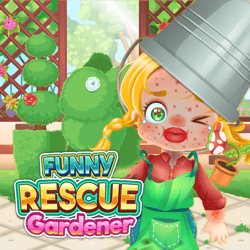
These preview visuals use the default cover art for Funny Rescue Gardener to reinforce the tone, pacing, and player fit described in the editorial notes above.
What Needs Fixing First
In Funny Rescue Gardener, the biggest source of delay is overvaluing the decorative elements of the scene. A tidy flower bed looks important, but if the main obstruction or broken area is still unresolved, those clicks do not move the stage forward.
Focus on the garden problem that changes the scene most dramatically. That usually reveals the rest of the intended order.
Scene Priorities
- Remove hazards, breakages, or blockages before you start beautifying the area.
- Use the gardener and the damaged zone as your main visual anchors. If a tool does not affect either one, it is probably not first in the chain.
- Late-stage cosmetic touches are easiest when all structural tasks are already complete.
Common Recovery Moves
- If you clicked the wrong object, stop and re-evaluate the scene instead of continuing random interaction.
- When multiple tools appear, ask which one would make the garden usable again, not just prettier.
- If a step seems inactive, the game is usually waiting for a prerequisite action somewhere else on the screen.
Questions New Players Actually Ask
Q: What is the fastest way to understand a new Funny Rescue Gardener scene?
A: Find the biggest visible problem first. The object or area that looks most broken usually anchors the next few required actions.
Q: Why do I keep getting stuck near the end?
A: Late scenes often switch from repair to presentation. If the garden is already functional, the remaining steps are usually appearance-focused rather than structural.
Q: Should I click every new tool as soon as it appears?
A: No. New tools often give you options, not instructions. Pause for a second and choose the one that best fits the current unresolved problem.
Source & Rights
This page was written by Jason Park for GameBrewCove as original editorial guidance on repair order, scene prioritization, and recovery habits in Funny Rescue Gardener. The embedded game is not owned by GameBrewCove.